Technology
Adobe Acrobat: Black and White Printing
Last modified 6/24/2024
Steps for Printing
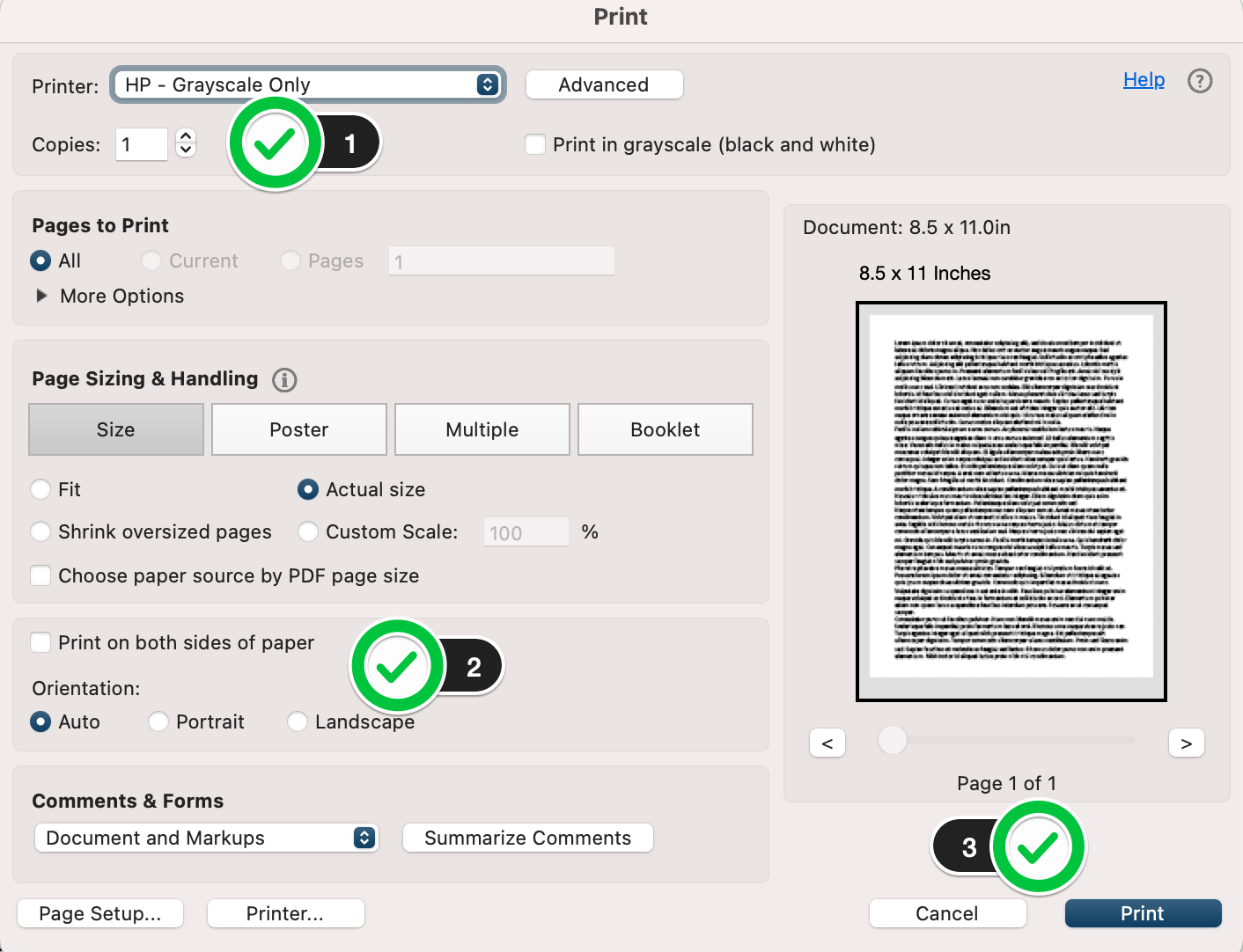
- Choose the correct printer. In this instance, it will be the "HP - Grayscale Only"
Also take a moment to enter how many copies you would like of your document. - Select whether you will print it double-sided ("Print on both sides of the paper") as well as the document's orientation.
- Finally, click on "Print".
Feedback
To suggest an update to this article, ISU students, faculty, and staff should submit an Update Knowledge/Help Article request and all others should use the Get IT Help form.